
In this guide
LOCALTR / DOCS
Your first public URL
Understand the tunnel, Mac connectivity and subdomain limits before sharing a local HTTP service.
- Environment
- LocalTR · HTTP service · eligible trial/Pro
- Evidence scope
- Explanatory app guide; check the steps separately on your installed Mac release.
- Expected outcome
- Check the public URL from another network while the Mac and service stay online; a live tunnel is not hosting.
Prerequisites
You need a running local HTTP service, a Mac connected to the internet and an active trial or eligible Pro license. A public URL exposes your running development server. It is not a static file upload or permanent hosting service.
Create the connection
- Open the service through its local address. Use sample data and check that administration pages are not unintentionally exposed.
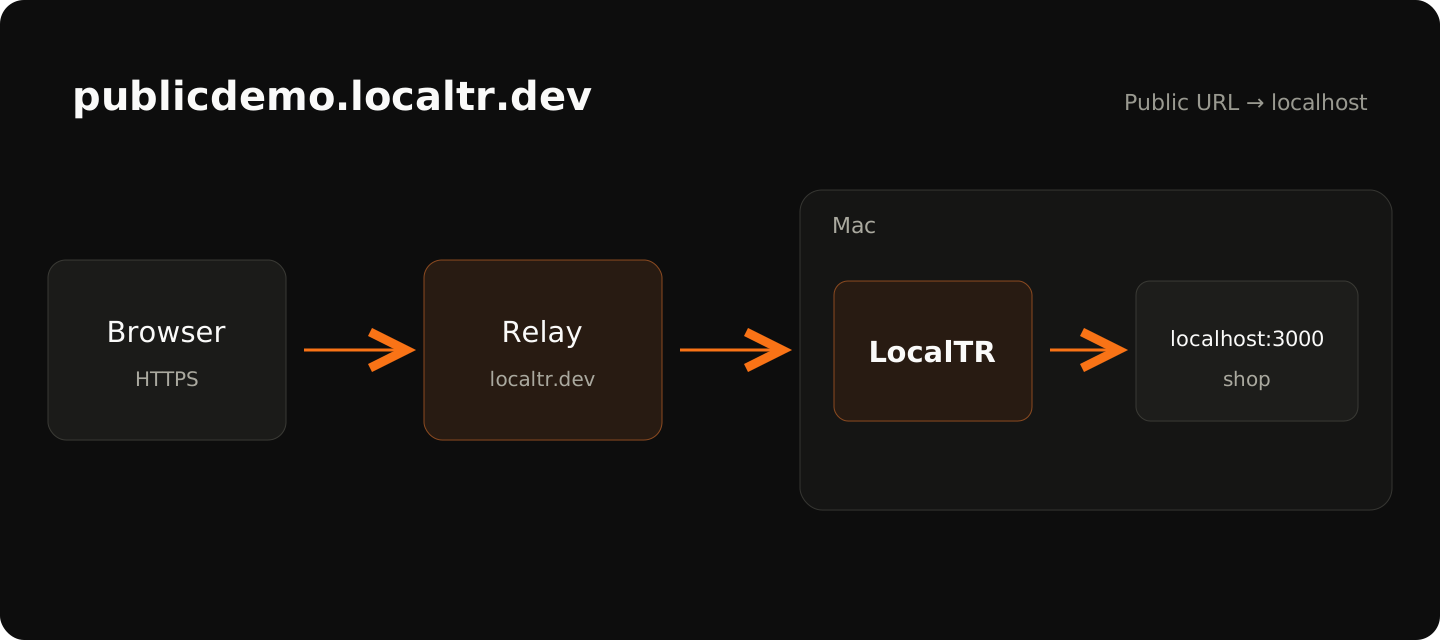
- Open a public URL for that domain. Choosing a name such as
demo.localtr.devdepends on availability and server validation. Do not assume the name is reserved forever. - Add a password when appropriate. Test the link from another network, such as a mobile connection, before sending it.
- Keep your Mac, LocalTR and local service running throughout the demo. Sleep or a network interruption can stop access.
Visitor → LocalTR relay → online Mac → local HTTP service
Scope
Each Mac has one simultaneous public tunnel. Opening another public connection replaces the current client. Multiple local domains do not mean multiple concurrent public tunnels. Bring-your-own domains, public WebSocket/SSE and general TCP/UDP are not supported promises for this release. The source defines a default 100 MiB public request body limit; validate large uploads in your environment.
Troubleshooting
If the service is unreachable, check localhost first, the tunnel state second and the external network third. Try a different subdomain if a name is refused. Reconnection attempts are bounded and are not an uninterrupted service guarantee. Close the link after the demo or pause it for new requests.
Does a step look different?
Contact support with your app version