
In this article
LOCALTR / JOURNAL
Why local HTTPS matters on a Mac
What gets hidden when HTTPS is tested only after deployment? Connect local names, certificate trust and real-device checks.
Source review: . The article, linked guides and relevant app sources were reviewed. This does not establish Mac installation, live tunnel or native Replay acceptance.
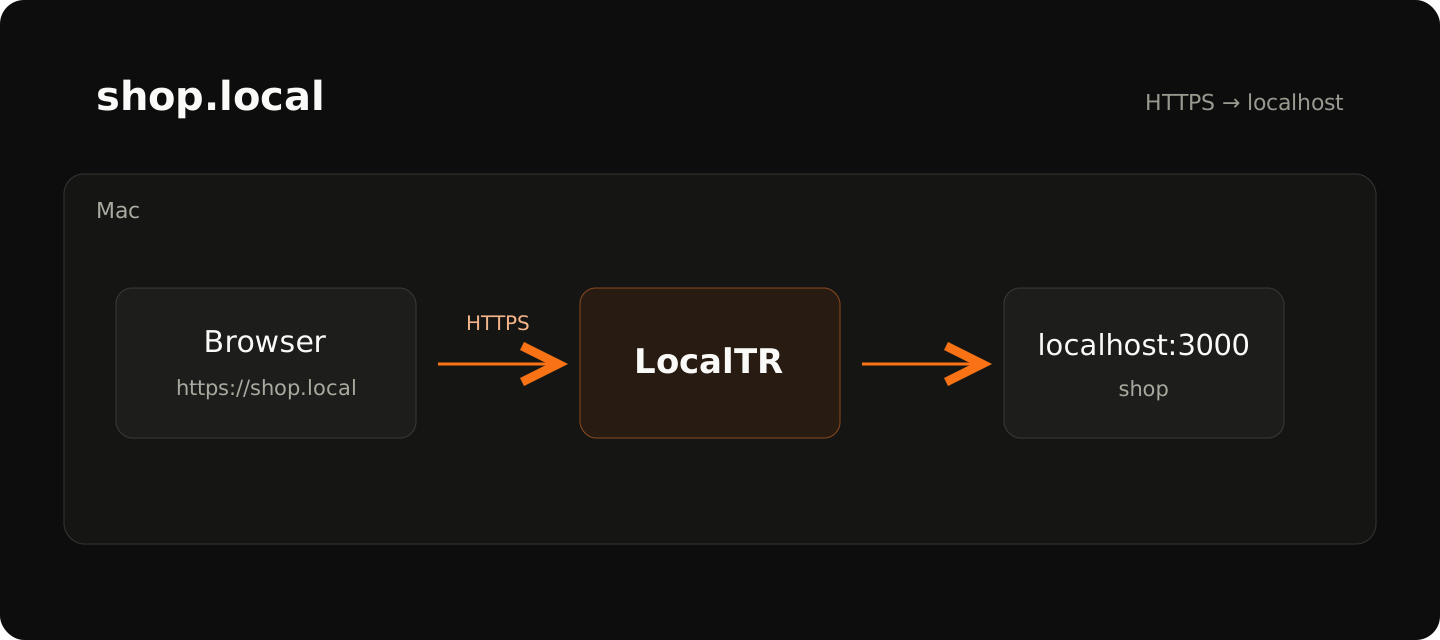
Finishing a feature on localhost and seeing different behavior after deployment is a familiar experience. Cookies, redirects and browser permissions depend on more than application code. The origin and protocol used to open a page also shape what happens. Local HTTPS lets you investigate part of that difference earlier.
Give the address a stable identity
When one project runs at localhost:3000 and another at localhost:5173, it is easy to mix up ports. Names such as shop.local and api.local make the service easier to recognize. Naming alone does not provide HTTPS: the name, proxy mapping and certificate trust are separate pieces that work together.
LocalTR maps a local name to a port on your Mac. You start the development server yourself. If the direct port address fails, adding a name will not repair the application. Start with the shortest path: open localhost, then the named HTTP address, then the HTTPS address.
Use the local Next.js task to check your own HTTP server; LocalTR naming and HTTPS trust are separate steps.
What does an HTTPS test reveal?
You can inspect the behavior of a cookie with the Secure attribute, redirects to HTTPS or callback URLs generated by the application while using the intended protocol. HTTP resources inside an HTTPS page may also become visible problems. This helps distinguish a browser console failure from a server error or an incorrect proxy mapping.
It does not mean HTTPS resolves every security issue. Trusting a local certificate does not audit your application's authorization or override every browser policy. Some browser features may treat localhost specially. A useful test note records the full origin, browser and expected result rather than simply saying “works.”
Localhost and .local have different trust conditions
MDN’s secure context documentation explains that browsers may consider http://localhost and loopback addresses potentially trustworthy. Do not extend that exception to an arbitrary .local name. Check the name, protocol and browser together.
| Origin you open | Purpose of the check |
|---|---|
http://localhost:3000 | Observe the direct service and localhost exception. |
http://shop.local | Verify name and port mapping. |
https://shop.local | Verify certificate trust and HTTPS behavior at the same name. |
Read window.isSecureContext in the developer console if useful. It alone does not verify cookies, authorization or every page resource. This table is a test plan, rather than a recorded browser result from a released LocalTR build.
Certificate creation and trust are different steps
LocalTR creates a local root CA. For the browser to trust that authority, the separate macOS trust installation and required administrator approval must finish. A cancelled permission request can explain the next certificate warning. Bypassing a warning does not demonstrate that setup succeeded.
For a certificate failure, ask three questions in order: Did I open the intended hostname? Is the certificate date valid? Does this Mac trust the relevant authority? That sequence keeps you from changing application ports to solve a trust problem. Never include a CA private key in a support message; local trust material is not an ordinary diagnostic log.
The local HTTPS guide separates certificate creation from macOS trust approval.
A phone is a separate acceptance step
A trusted shop.local address on your Mac is not guaranteed to open on a phone on the same network. The phone must resolve the name, reach the Mac and trust the certificate authority. A QR code carries the address. It does not remove network isolation, multicast restrictions or a trust requirement.
A public URL follows a different path: a visitor reaches the running Mac through the LocalTR relay. Local certificate trust and a public link's internet TLS are different setups. Passing the local test does not pass the public test. Make another check from a separate network.
A small repeatable checklist
- Open the development server at its direct port and verify the expected page.
- Add the local name and confirm HTTP reaches the correct app.
- Install local HTTPS trust and reopen the same name using HTTPS.
- Test cookie, redirect and mixed-content behavior in your own scenario.
- Record separate results for a second device or public sharing if required.
This process does not turn development into a perfect copy of production. It makes protocol and origin differences visible while they are still convenient to investigate. Start with the local HTTPS guide for the app-specific setup, and keep one successful test at each layer before moving to the next.
Does a step look different?
Contact support with your app version