
In this guide
LOCALTR / DOCS
Create your first .local address
Name a running local service, verify its port mapping and open the correct address in your browser.
- Environment
- Installed LocalTR · running local HTTP service
- Evidence scope
- Explanatory app guide; check the steps separately on your installed Mac release.
- Expected outcome
- Verify that the chosen .local name reaches your own service at the correct port.
Requirements
You need a responding HTTP service on your Mac and helper permission for local routing. This example assumes your own app runs on localhost:3000; LocalTR does not start that app for you.
Steps
- Open your development server's direct address in a browser. If that fails, fix the application first.
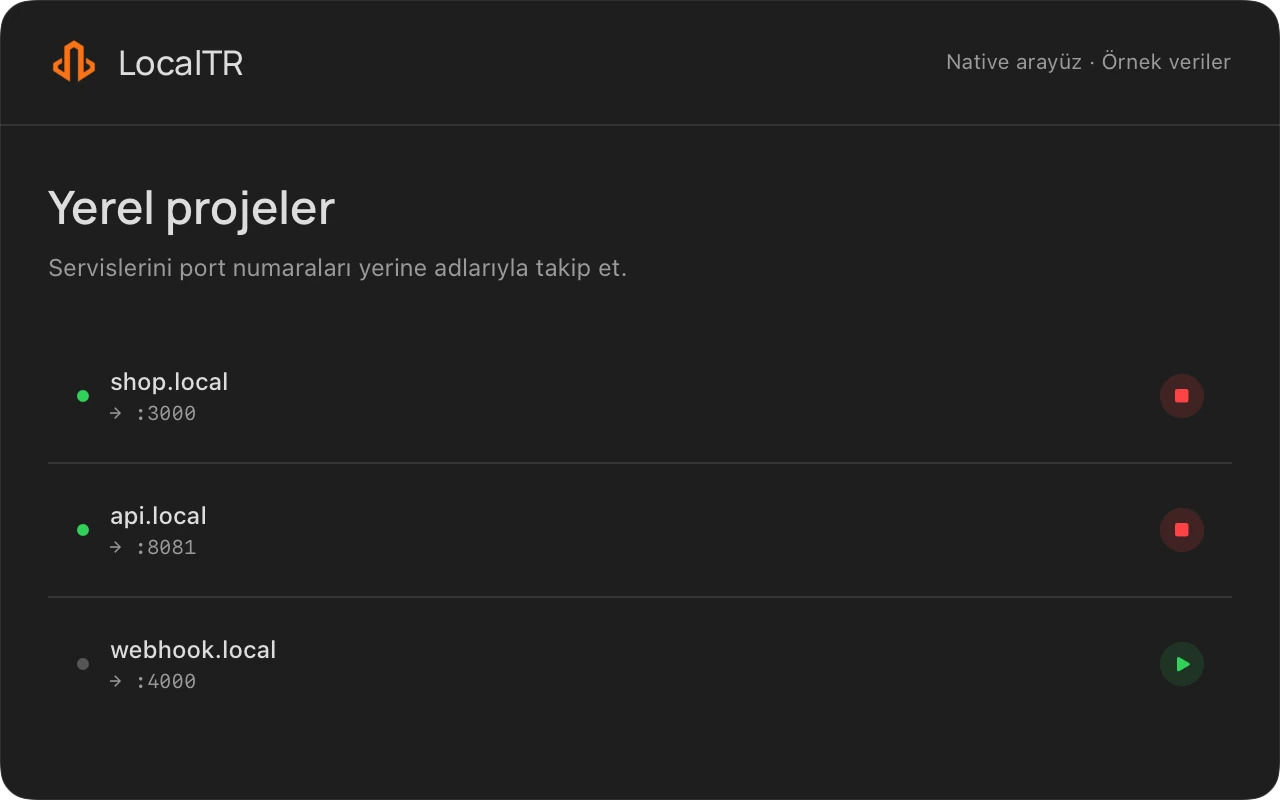
- Add a local domain in LocalTR. Choose a memorable name such as
shop.localand the port your app actually listens on, for example3000. - If macOS requests helper approval, review the request for local address routing and approve it to continue.
- Try
http://shop.localfirst. Complete certificate trust setup separately if you want HTTPS. - Add another service with a different name and its actual port. For example,
api.localcan point to8080.
shop.local → proxy on your Mac → localhost:3000
api.local  → proxy on your Mac → localhost:8080
Expected result
The local name opens the same application as the direct port address. Local naming does not attach an internet domain you own or create a public DNS record. Your Mac's hosts configuration does not propagate to other devices.
Troubleshooting
If the wrong application opens, inspect the port mapping. A refused connection can mean the service stopped or moved to another port. If the name does not resolve, check the helper and local record state. A phone on the same network can have separate DNS, multicast, firewall or certificate issues. Success on your Mac does not establish trust on your phone.
Does a step look different?
Contact support with your app version