
In this article
LOCALTR / JOURNAL
Make a webhook failure reproducible
Go beyond a status code: capture the request, match its response and preserve signature checks and side-effect boundaries during replay.
Source review: . The article, linked guides and relevant app sources were reviewed. This does not establish Mac installation, live tunnel or native Replay acceptance.
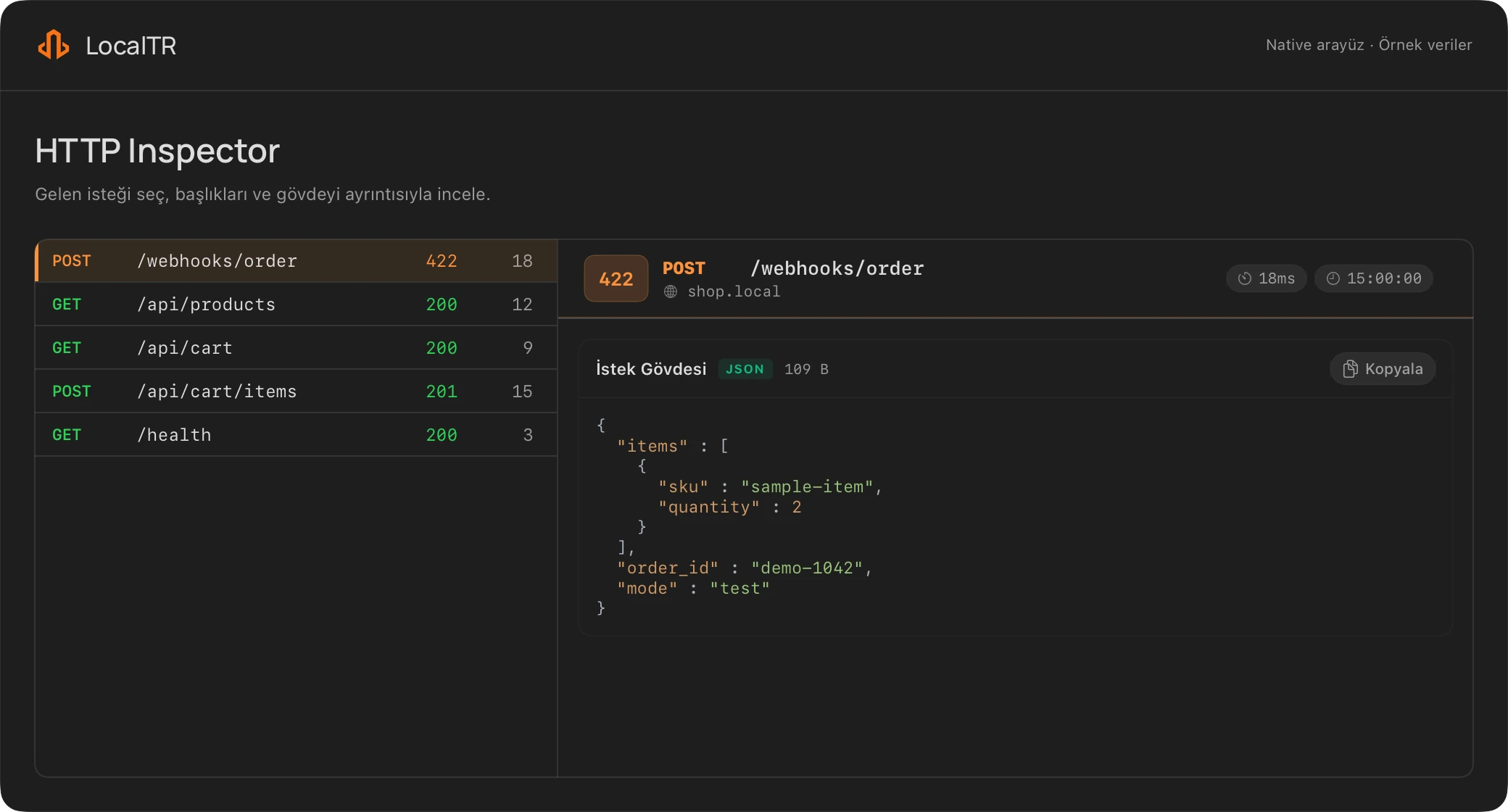
A webhook provider reporting “delivery failed” does not identify the failing layer. The request might never have reached your app. It may have hit a wrong path, failed signature validation or completed its work but responded too late. The first objective is to see which request produced which response, not to press retry repeatedly.
Separate connectivity from business logic
Confirm your own test endpoint responds locally first. Then test the public link from another network. Retrying the provider delivery before those two checks pass adds little information. A public URL also depends on the Mac, LocalTR and the development server staying online.
LocalTR's inspector shows the method, path, headers, body, response and duration together. Match that capture to the provider's delivery time and event identifier. Treating two distinct events as one “failed request” can lead to the wrong fix. A clearly marked sample event identifier makes the observation easier to follow.
Read the status in context
A 401 can come from public-link password protection or the application's own authorization. A 503 may be related to paused sharing. A 200 alone does not prove the business operation completed correctly: an application might respond early and fail in later processing.
Record the target path, approximate time and expected application outcome alongside the status. Check the relevant test event in your development database if needed. Creating a real payment or order is not a prerequisite for debugging. A controlled test endpoint provides evidence with fewer unintended effects.
Replay sends a real request
The actual LocalTR replay path is Replay in the request detail panel. Review and edit the target, headers and body before confirming. A new response creates a new capture. Replay in the list context menu is not the same completed sending flow.
Before sending, check the URL again. A capture targeting a production service instead of your local test endpoint can trigger another email or another side effect. Changing one field at a time also makes it easier to understand which edit affected the result. Keep the original capture separate and do not assume a replay originated from the provider.
Follow one test event with one change
The HTTP messages below are controlled examples written for this article. They are not network captures or results from an accepted LocalTR release. Use only a handler you own that cannot trigger real payments, email or external webhooks.
For a separate runnable example, open the local webhook starter. It uses event: payment.test and currency at /webhook; it does not implement the /hooks/demo and mode example below.
The original example has a mode value that this imaginary test handler rejects:
POST /hooks/demo HTTP/1.1
Host: localhost:3000
Content-Type: application/json

{"id":"evt_demo_001","type":"demo.updated","mode":"before"}
HTTP/1.1 422 Unprocessable Content
Content-Type: application/json

{"error":"invalid_mode","id":"evt_demo_001"}
When opening detail-panel Replay, check that the target is still your own test endpoint. Change only mode to after. Keep the event identifier and original capture in your notes:
{"id":"evt_demo_001","type":"demo.updated","mode":"after"}
For this example handler, the expected new response is 200 OK with {"accepted":true,"id":"evt_demo_001"}. Record the actual response, new capture and application test record before concluding that the issue is fixed. This unsigned example is different from a real provider event with signature verification.
| Evidence | What to record |
|---|---|
| Original capture | Test identifier, path, redacted body and first response |
| Change | mode: before → after; same target and other fields |
| New HTTP result | Actual status and new capture record |
| Application result | Test handler record and controlled side effect |
MDN’s POST reference explains that repeating a POST can cause additional effects. Provider redelivery can also require application-level deduplication. For example, Stripe’s webhook documentation recommends tracking processed event identifiers and requires the original raw body for signature verification. This technical source does not establish Stripe as LocalTR’s payment provider or demonstrate an accepted integration.
Why signatures and redaction matter
A provider signature can depend on the original raw body and timestamp. Editing that body may invalidate the original signature. Disabling production signature validation is not the fix. Use the provider's test environment and your own validation logic so that you can explain an expected rejection or acceptance.
The inspector redacts selected sensitive headers and particular JSON/form fields in the stored copy. Those credentials do not automatically reappear during replay. At the same time, there is no guarantee that every secret in a query parameter or free-text field is detected. Inspect a capture before sharing even if it appears safe. Keep user data, tokens and session cookies out of support messages.
Retention is not archival storage
The capture store defines a 10,000-record cap, a memory budget and a startup restore limit of 1,000 records. The body retained for inspection is limited too. Do not immediately conclude that a provider sent an empty body when a capture is missing it. Compare capture limits with your application's own test log.
A useful failure record holds four things together: the redacted original request, expected outcome, a replay with one deliberate change and the actual application result. That makes the fix repeatable and helps detect recurrence. Follow the webhook replay guide for app steps. If connectivity is failing, check public URL conditions first.
Break down an HTTP example.
Inspect the method, target, headers and body of a redacted HTTP/1.1 example. Processing stays in this tab; the tool sends no request and does not save your input.
One text sample · Up to 64 KiB · cURL, HAR and binary bodies are not supported. Keep real credentials and customer data out.
Inspect an example to see its method, target, headers and body here.
To inspect requests and responses from a running app: Explore LocalTR HTTP inspection
Does a step look different?
Contact support with your app version